CORAL / AI DATA RETRIEVAL / CLI + DESKTOP LAYER
Making a CLI product
easier to start with.
The CLI was powerful once you understood it. The product problem was everything before that moment: helping an interested visitor download Coral, connect their world, and experience why it mattered without having to learn the system first.
THE OPPORTUNITY
The CLI worked. Getting started was the hard part.
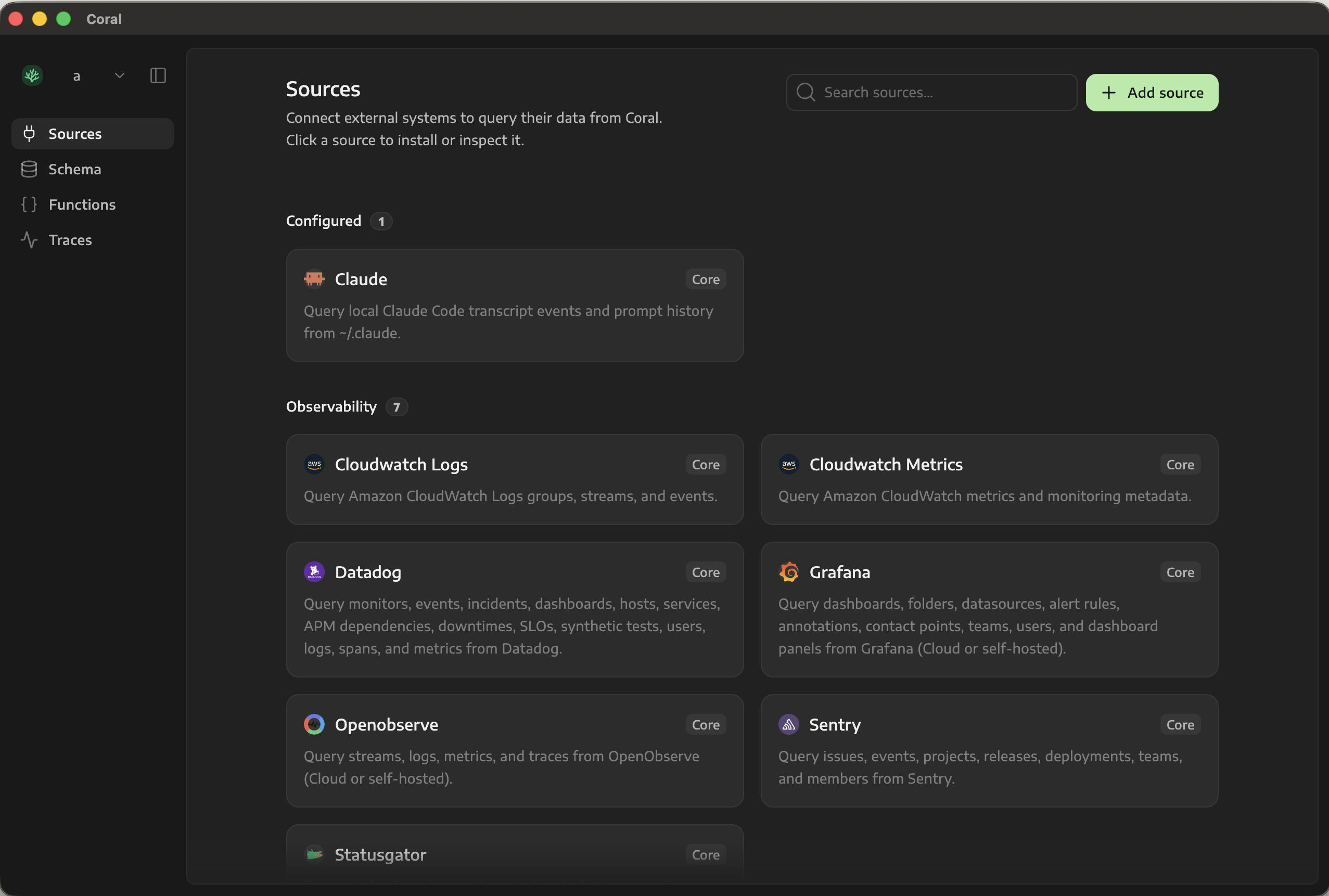
Coral was a CLI that ran entirely in the terminal. I explored how a small desktop layer could make onboarding clearer without trying to move the whole product into a UI. I proposed packaging the CLI as an app, adding a simple onboarding flow, and using UI only for the parts that benefited most from it: connecting sources and agents, seeing system state, and tracing what an agent did.
THE PRODUCT DECISIONS
- 01Package the CLI.
Run it as an Electron sidecar so installation did not require users to assemble the tooling themselves.
- 02Explain the setup.
Make sources, permissions, agent connections, and system state visible and sequential.
- 03Start with a useful prompt.
Open the connected agent with a prompt already attached, so users could see a meaningful result without having to invent a test.
- 04Show what happened.
Add tracing and query inspection for the moments when the CLI could not explain what an agent did or why.
WHY ADD A UI?
Every interface surface answered one question in the adoption journey: What do I do next? Is it working? What value did it just create?
MY ROLE
Identified the activation problem, defined the desktop UX, prototyped it, presented the direction to the team, and implemented the shippable Electron app.
BUSINESS IMPACT
Turned a developer-oriented install into a guided product journey, shortened the path to a credible first result, and made agent behaviour inspectable enough to build trust.
WHAT THIS SHOWS
Product discovery inside an engineering problem; selective use of UI; end-to-end ownership from idea to packaged software.